
Your website has roughly three seconds to make a first impression. Research shows that 53% of mobile users abandon a site that takes longer than three seconds to load — and with mobile devices now driving over 60% of global web traffic, a slow site quietly bleeds visitors, rankings, and revenue every single day.
The good news is that website speed optimization is one of the highest-return tasks in all of digital marketing. It is a rare win-win-win: faster pages rank higher on Google, convert more visitors into customers, and deliver a better experience for everyone. Even better, for most sites, 70–80% of the improvement comes from just two areas you can fix yourself.
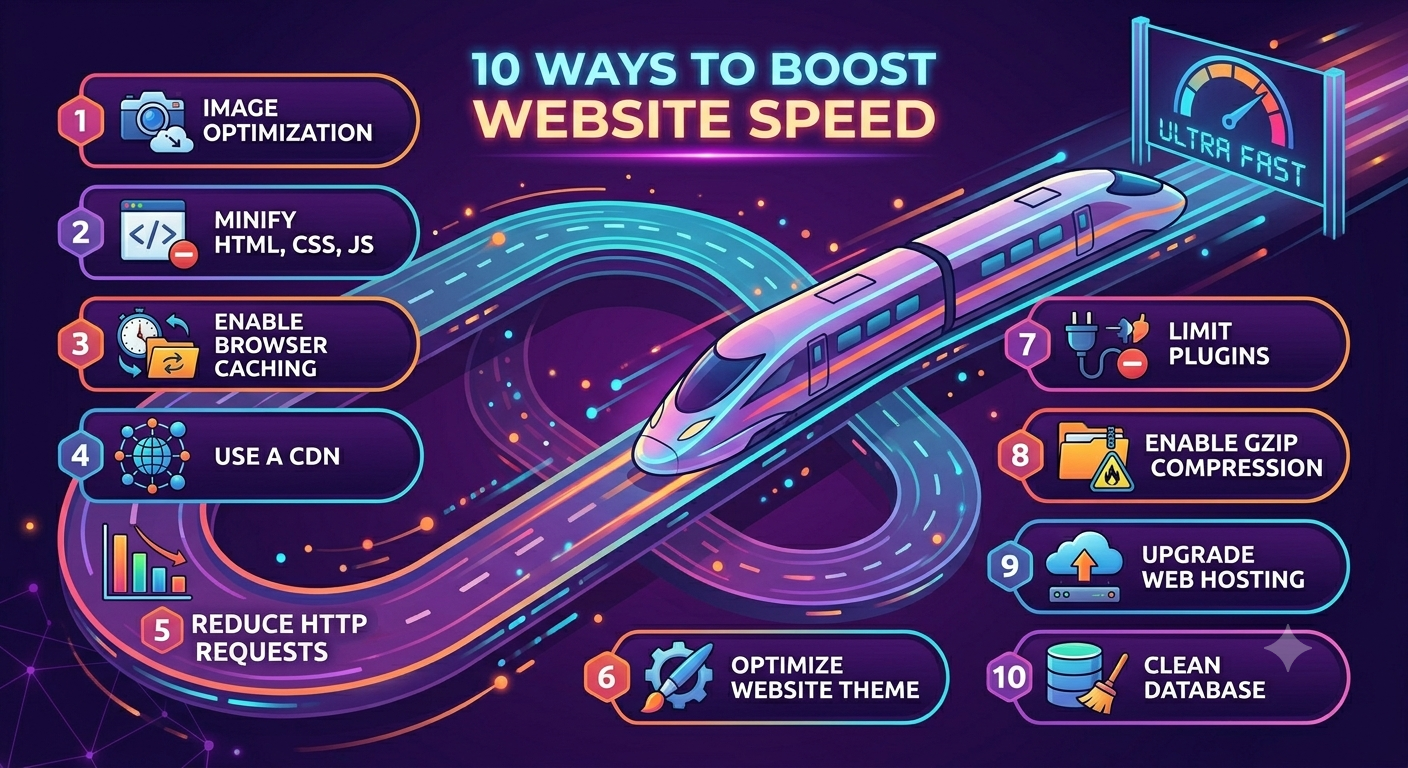
This guide walks through 10 proven ways to boost website speed, reduce your page load time, and improve the Core Web Vitals that Google uses to rank your pages in 2026. Let's get into it.
Why Website Speed Matters for SEO and Conversions
Speed is not a vanity metric. Google's Core Web Vitals — a set of real-world user-experience signals — are confirmed ranking factors and part of the Page Experience system. Pages that score "Poor" can be suppressed in search results, especially in competitive niches where everything else is equal.
The three Core Web Vitals to know in 2026 are Largest Contentful Paint (LCP), which measures how fast your main content appears (aim for under 2.5 seconds); Interaction to Next Paint (INP), which measures responsiveness to clicks and taps (aim for under 200 milliseconds); and Cumulative Layout Shift (CLS), which measures visual stability as the page loads (aim for under 0.1). Beyond rankings, every additional second of page load time can drop conversion rates by around 7% — so speed pays for itself.
10 Ways to Boost Website Speed
Work through these in order. The first few deliver the biggest, fastest wins, while the later ones lock in long-term performance.
1. Compress and Resize Your Images
Images are almost always the single largest part of a page's weight, which makes image optimization the fastest way to speed up a website. Compressing and correctly sizing images can cut page weight by 30–50% and is often the difference between a "Poor" and "Good" LCP score. A single oversized hero image can add multiple seconds to your load time, so never upload an image larger than it will actually display.
2. Use Next-Gen Formats and Lazy Loading
Convert your images to modern formats like WebP or AVIF, which deliver the same visual quality at a fraction of the file size of older JPEG and PNG files. Then enable lazy loading so that below-the-fold images only download when a visitor scrolls to them — this dramatically reduces the initial payload and improves how quickly your page becomes usable.
3. Minify CSS, JavaScript, and HTML
Minification strips out unnecessary characters — spaces, line breaks, and comments — from your code without changing how it works. Combined with removing unused CSS, this reduces file sizes and the amount of data each visitor has to download. Most modern build tools and caching plugins handle minification automatically.
4. Defer and Async Non-Critical JavaScript
By default, a script in the page head pauses everything until it finishes loading — a "render-blocking" delay that hurts both your LCP and INP. Adding the defer attribute lets the browser keep building the page and run the script afterward, while async suits fully independent scripts like analytics. Deferring third-party scripts (chat widgets, ad pixels, social embeds) is one of the most effective page speed optimization fixes on script-heavy sites.
5. Enable Browser Caching
Browser caching tells a visitor's browser to store static files — like your logo, CSS, and fonts — locally after the first visit. On every return visit those files load instantly instead of being re-downloaded, which slashes load times for repeat visitors and reduces strain on your server.
6. Turn On Gzip or Brotli Compression
Server-side compression shrinks your text-based files (HTML, CSS, JavaScript) before they're sent to the browser. Brotli generally compresses better than the older Gzip standard, and both can reduce transfer sizes significantly with a single server setting. It's one of the most reliable, lowest-effort ways to improve page load time.
7. Use a Content Delivery Network (CDN)
A CDN stores copies of your site on servers around the world and serves each visitor from the location nearest to them. The shorter the physical distance a request has to travel, the faster it arrives — so a CDN is essential if your audience is spread across regions. Providers like Cloudflare also bundle in compression, caching, and HTTP/3 by default.
8. Upgrade Your Hosting and Enable HTTP/3
No amount of front-end tuning can rescue a slow server. A good Time to First Byte (TTFB) is under 200 milliseconds, and if yours is higher, your hosting is the bottleneck. Move to quality cloud or managed hosting, locate servers near your audience, and enable HTTP/3, which now handles a large share of global traffic and is faster on mobile networks than older protocols.
9. Reduce Redirects and HTTP Requests
Every redirect adds a full round-trip to the server, and every asset on a page — each image, script, and stylesheet — is a separate HTTP request that adds to load time. Audit your pages to eliminate unnecessary redirects, remove plugins you don't use, and combine or remove assets wherever possible to keep requests to a minimum.
10. Measure and Monitor Core Web Vitals Continuously
You can't improve what you don't measure. Establish a baseline before you change anything, then track your Core Web Vitals over time. Speed isn't a one-time project — new content, plugins, and third-party scripts can quietly slow things back down, so ongoing monitoring keeps your gains from eroding.
Remember: for most websites, 70–80% of your speed improvement comes from fixing images and JavaScript. Start there before chasing a perfect score.
At GInfomedia, we audit, optimize, and rebuild Indian business websites for blazing-fast load times, better Core Web Vitals, and higher Google rankings.
👉 Click Here to Chat with Us on WhatsApp and get a free website speed audit today!
How to Measure Website Speed (Free Tools)
Before and after every change, test your site with real data. Google PageSpeed Insights is the best free starting point — it scores both mobile and desktop, reports your live Core Web Vitals, and lists specific fixes. Google Lighthouse (built into Chrome DevTools) and GTmetrix add deeper diagnostics, including a visual timeline of exactly how your page loads. Use them together: each tool surfaces a slightly different set of bottlenecks.
One important note — don't obsess over hitting a perfect 100/100 score. Chasing the last few points often wastes time on low-impact issues. Focus on getting your Core Web Vitals into the "Good" range, which is what actually moves rankings and conversions.
Final Thoughts: Speed Is a Continuous Advantage
A fast website is one of the few investments that improves your SEO, your user experience, and your conversion rate all at once. You don't need to do everything in a single afternoon — start with images and JavaScript, measure the difference, and work down the list from there. Treat website speed optimization as an ongoing habit rather than a one-off task, and your site will stay fast, visible, and profitable as it grows.
